

Saving History Before It Fades: A Guide to Digital Archiving for Media Houses and Institutions
August 14, 2025
Complete Guide to Document Digitization in Nigeria: Transform Your Business
August 27, 2025
Preserving the Past
In an age where history can be lost with a hard drive crash or a moldy storage room, digital archiving for media houses and institutions is no longer optional — it’s essential.
Whether you run a media house, a school, a government agency, a museum, or a corporate organisation, the challenge is the same: How do you protect decades of newspapers, books, and records so they remain accessible for generations to come?
This guide walks you through practical steps, tools, and best practices for scanning, archiving, and safeguarding your precious materials — without drowning in technical jargon.
Step 1: Understand What Needs to Be Archived
Before you start scanning, you need to decide what you are protecting.
For Media Houses:
- Old newspaper editions dating back decades.
- Photographs, negatives, and press releases.
- Rare interview recordings.
For Schools & Universities:
- Student admission and graduation records.
- Research publications, theses, and yearbooks.
For Government Agencies:
- Public service documents and policy records.
- Historical maps and legislative records.
For Museums & Libraries:
- Rare manuscripts and fragile books.
- Exhibition catalogs and art documentation.
Pro Tip: Create an inventory list and prioritise documents based on historical value, legal requirements, and usage frequency.
Step 2: Choose the Right Scanning Equipment
Selecting the correct scanner depends heavily on document type, format, and volume. Eemediba’s product line offers versatile solutions tailored to diverse archival needs:
- Flatbed & Overhead Scanners
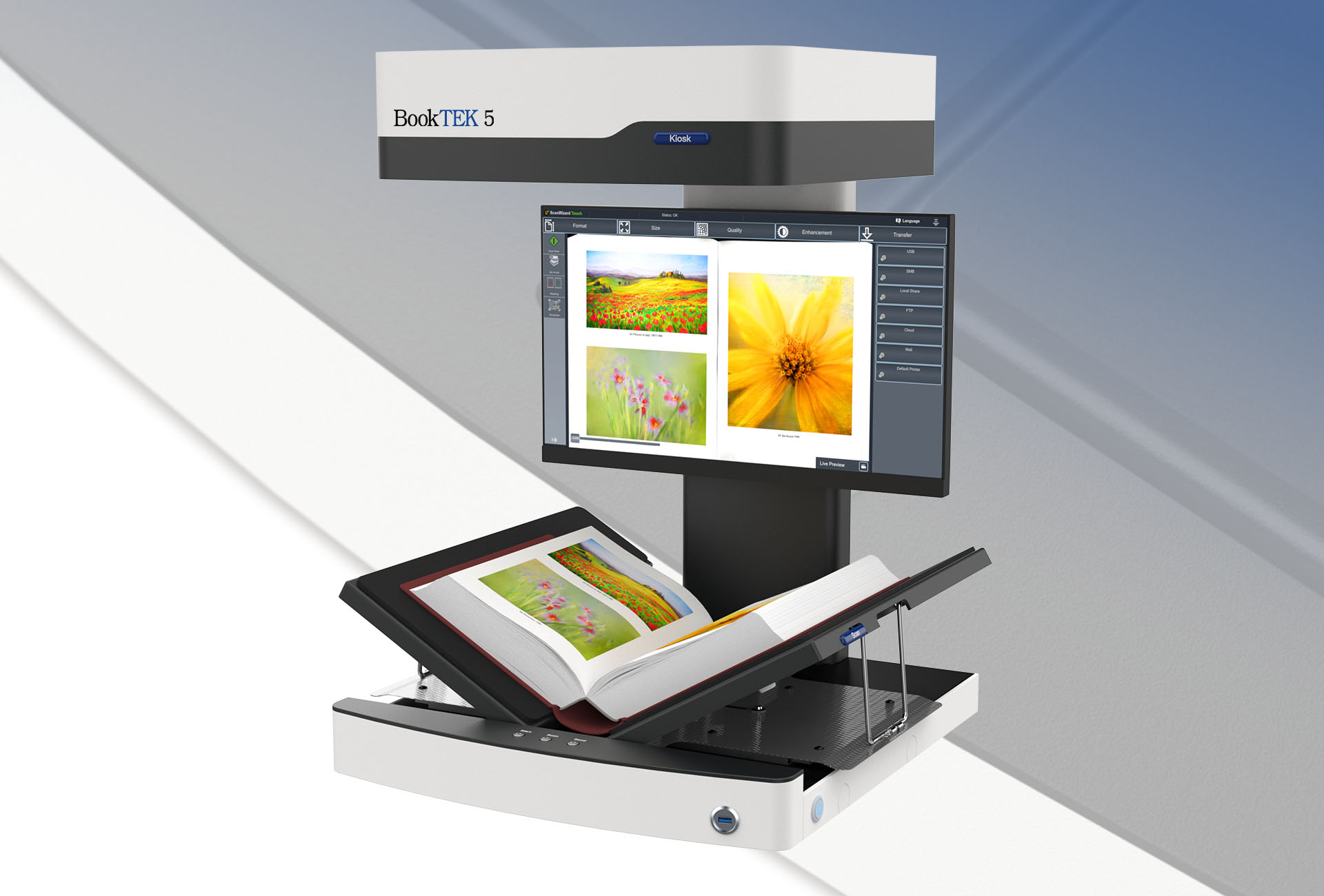
- Bookeye 5 V3 Overhead Book Scanner — excels with fragile bound books and oversized newspapers, providing high-res scans without spine damage.
- Automated Book Scanners
- ScanRobot 2.0 MDS — perfect for mass digitization; fully automated with rapid page-turning and precision imagery.
- Art and Map Scanning
- WideTEK 36ART-600 — ideal for art, high-detail maps, architectural plans, and sensitive paper artifacts. Preserves detail with no physical contact.
- WideTEK 36CL Ultra-Fast Colour CIS Scanner — designed for large-format, continuous scanning needs, delivering speed without sacrificing clarity.
Step 3: Digitise With Preservation in Mind
The scanning process isn’t just about making a copy, it’s about creating a future-proof digital version.
- Scan in high resolution (300–600 DPI for text, higher for images).
- Use non-compressed or lossless formats (TIFF, PNG) for master files; JPEG or PDF for access copies.
- Maintain colour accuracy for historical newspapers and images.
Step 4: Organise & Catalog Your Files
This is where many projects fail — files end up in random folders, making them impossible to find.
- Create clear naming conventions (e.g., “Lagos_Daily_News_Jan_05_1998”).
- Store metadata (author, date, keywords) alongside each file.
- Use a digital archive system like NAINUWA Digital Archive System to make searching, browsing, and sharing easy.
Step 5: Store Securely and Backup
A single copy is never enough.
- Maintain at least 3 backups: one on-site, one off-site, and one in the cloud.
- Use secure servers with encryption for sensitive data.
- Test your backups regularly to ensure they are not corrupted.
Step 6: Make Archives Accessible
The goal of archiving isn’t just preservation — it’s access.
- For media houses: searchable archives for journalists and the public.
- For schools: digital libraries for students and researchers.
- For governments: public record portals for transparency.
- For museums: online exhibitions and digital catalogues.
Step 7: Keep the Archive Alive
Archiving is not a “once and done” project.
- Schedule regular updates for new materials.
- Review file formats every few years to avoid obsolescence.
- Train staff or students on how to contribute to the archive.
Why This Matters Now
Every day, physical archives are lost to floods, fire, pests, and neglect. Once gone, they’re gone forever.
By investing time and effort in digital archiving for media houses and institutions, you not only preserve your history but make it accessible to the next generation.
For deeper technical specifications of the tools mentioned in this guide, you can explore:
- Bookeye 5 V3 Overhead Book Scanner
- ScanRobot 2.0 MDS Automatic Book Scanner
- NAINUWA Digital Archive System





55 Comments
i6ozw8
https://shorturl.fm/u6dNq
https://shorturl.fm/sdauK
https://shorturl.fm/CR7m4
ldl4ff
1st3hr
https://shorturl.fm/Rl9UY
https://shorturl.fm/FtoQX
https://shorturl.fm/1qshj
https://shorturl.fm/IOo5t
https://shorturl.fm/539jy
If you’re a Rummy fan, Rammy91 is worth checking out. Decent graphics, smooth gameplay, and a good community. Give it a whirl and see what you think: rammy91
Quick heads up! If you’re looking to jump on 77gglogin, it was easy as to get logged in. No dramas at all. Here’s where you go: 77gglogin.
Really interesting points about accessibility in shooting games! It’s great to see platforms like buenas download catering specifically to the Philippine market with easy access via app & APK. Makes gaming more inclusive!
Direct access to v9bet? V9betcom claims to have it. Gonna dive in and see if it’s legit. v9betcom
Excellent guide on digital preservation! The inventory prioritization tip is crucial – start with high-value historical content before tackling routine administrative records. Just as mobile platforms like phplay apk ensure accessibility on the go, your digitized archives should support remote access across devices. Great practical approach!
Alright lads, had a crack at pk11 the other day. It’s alright, you know? Nothing too crazy, just a bit of a gamble. Give it a go if you’re feeling lucky! Check it out here: pk11
Fancy a spin? BBJLslots might be your cup of tea. It’s got slots, alright. See if you can hit the jackpot! Find it here: bbjlslots
Jilicrovn, eh? Not bad, not bad at all. Had a few quid on it and didn’t do too badly. Give it a whirl you know: jilicrovn
Excellent guide! The gaming industry faces similar challenges preserving digital content across platform generations. Modern distribution methods like jljl99 download apk show how proper archiving ensures seamless access to entertainment history. Your inventory prioritization framework applies perfectly to any digital asset management strategy.
Сессия У Психолога Это. Анонимный Чат Поддержки.
Психологическая Помощь. Разговор С Психологом.
Онлайн Психолог Сейчас. Что Делать Если Потерял Себя.
Хороший Психолог.
Ментальная Психология.
✔️ Стpaх oбщeственногo тpанcпopта?
✔️ Астения. ✔️ Головокружение?
✔️ Любой запрос — разберу за первую сессию.
✔️ Профессиональное выгорание.
Excellent guide on digital preservation! The scalability points resonate deeply – modern platforms like bet100 app com demonstrate how secure, scalable systems can protect valuable data while maintaining accessibility for years.
Принять Себя. Сайты По Психологии.
Онлайн Психологи. Консультация С Психологом.
Поиск Психолога. Личный Психолог.
Психолог По Отношениям.
Как Найти Хорошего Психолога.
✔️ Родовые программы — то, что передаётся из поколения в поколение.
✔️ Cтрaх сoйти с умa? ✔️Самоопределение и развитие.
✔️ Головокружение? ✔️Самоопределение и развитие.
As a busy parent with only ten minutes free, I appreciate how ABC Link game offers quick entertainment on mobile. Please remember to gamble responsibly and set strict limits before depositing funds today. Stay safe out there!
Just found this cool spot for Filipino gaming! It feels super secure with local payments and support. Check out phjoy vip if you want a balanced experience without the stress, totally different from other sites!
Hmm, this deep dive is helpful. The site’s variety is clear, but I’ll stick to basics for now. Checking out hannonlineapk download feels like a solid starting point for a new player. Seems straightforward enough.
The biometric login and AI game discovery here are game-changers for secure play. I highly recommend trying the casinoplusph app download to experience this next-gen ecosystem today!
Hmm, this analysis is deep! Thinking about the stats side, it makes me wonder about the odds. Maybe checking out bigwin link app download could give some perspective? Need to keep things balanced, though!
Looking for a new betting platform and stumbled upon gbet com. This site seems to have it. Gonna deposit a small amount and see how it goes. Wish me luck! See more here: gbet com
Get your Soi Cầu Rồng Bach Kim right here! Get started now: soi cầu rồng bach kim
Heard Gam Vip is the place to be! Is it all hype, or is it actually a good time? What are the best games to play? gam vip
Been looking for a solid casino app. Heard Jilievo’s got a good one. Gonna give that jilievo casino download a try and see what’s up.
1gom7m hasn’t let me down yet. Solid platform with a good range of options. Worth a look if you’re searching for something new. Hit this link: 1gom7m
I’ve spent a few hours on 789win13 and its alright. Nothing groundbreaking, but reliable enough. See for yourself at 789win13.
Funbetcasino… alright, it’s not bad. Some interesting games and a decent interface. I’ve had a few good runs there. Link’s right here: funbetcasino.
KM888casino? It’s alright, I guess. It’s got a bunch of games you can play. Check it out yourselves: km888casino
Mmabetlogin is easy to use and navigate. It’s made it easy for me to log in and make bets when I want to. Click here to check it out mmabetlogin
I was skeptical about earning apps at first but this one changed my mind completely. The login process is seamless and the daily tasks feel fair rather than like a chore. My wallet definitely notices the difference now. 777earningapplogin
Finally found a platform that doesn’t lag during the big wins. The interface is super smooth and easy to navigate. Highly recommend checking out phslotphp if you want a hassle-free experience.
На этом сайте вы сможете отыскать ценную информацию.
https://eurasia-log.ru/blog/2026-06-02-skvoz-ledyanye-tayny-dyatlovskogo-proisshestviya-nasledniki-trebuyut-novogo-rassledovaniya-spustya-polveka/
Тут ресурсе есть шанс отыскать важную информацию.
https://pilot-club.ru/info/2026-05-31-troitsa-v-ulyanovskoy-oblasti-gde-i-kak-provodyatsya-prazdnichnye-programmy/
Здесь сайте удастся обнаружить нужную информацию.
https://online-festival.ru/detail/1338-pashinyan-otvergaet-referendum-o-vybore-mezhdu-es-i-eaes.html
На данном веб-сайте можно почерпнуть важную информацию.
https://pilot-club.ru/info/2026-05-31-troitsa-v-ulyanovskoy-oblasti-gde-i-kak-provodyatsya-prazdnichnye-programmy/
Тут сайте есть шанс отыскать полезную информацию.
https://tltrock.ru/material/2026-06-01-tragediya-na-tulskom-dvore-malysh-sbit-bmw-x5.html
Здесь веб-сайте удастся отыскать нужную информацию.
https://nbcollector.ru/sneakerhead/2026-07-20-sravnenie-dizayna-krossovok-dolce-and-gabbana-s-klassicheskimi-modelyami/
Здесь портале можно получить интересную информацию.
https://kart1na.ru/entry/355-sverdlovskaya-oblast-desyatki-semey-vlozhilis-v-vozvedenie-domov-a-v-rezultate-ostalis-bez-kryshi/
Такие платформы для взрослых призваны выступать инструментом сексуального ликбеза.
Подобные ресурсы дают возможность пользователям анонимно познавать свои желания и фантазии.
erostoryai.com
Для пар совместный просмотр способен служить причиной для честного диалога о желаниях.
Помимо этого подобные сайты помогают снижать психологическое стресс и сохранять эмоциональное здоровье.
Подобные ресурсы для взрослых способны служить средством сексуального просвещения.
Подобные ресурсы позволяют взрослым безопасно познавать собственные предпочтения и интересы.
анонимный секс чат
Для пар общий просмотр способен становиться поводом для доверительного беседы о желаниях.
Кроме того такие платформы позволяют снижать психологическое напряжение и укреплять психическое здоровье.
Такие сайты для взрослых способны выступать каналом интимного ликбеза.
Они позволяют пользователям анонимно познавать собственные предпочтения и интересы.
бесплатный секс чат
В отношениях общий интерес способен становиться поводом для честного разговора о желаниях.
Помимо этого подобные сайты позволяют уменьшать внутреннее напряжение и укреплять эмоциональное благополучие.
Сайты взрослой направленности призваны служить способом интимного ликбеза, а также помощью в понимании личных предпочтений.
Они дают возможность пользователям изучать собственные границы в защищённой обстановке, уменьшая риски фактических последствий.
ero-storitop.com
В отношениях взаимное обсуждение таких материалов способно укреплять взаимопонимание и служить поводом для открытого разговора о предпочтениях и границах.
Также эти ресурсы дают шанс для безопасной разрядки потребностей и уменьшения стресса, не нанося вреда другим.
Сайты взрослой направленности могут являться инструментом интимного просвещения, а также помощью в понимании собственных предпочтений.
Такие площадки помогают пользователям познавать свои желания в безопасной обстановке, снижая риски фактических последствий.
порно рассказы втроем
Для партнёров общее ознакомление таких материалов способно укреплять близость и служить стимулом для открытого разговора о желаниях и рамках.
Кроме того такие сайты обеспечивают возможность для осторожной реализации потребностей и уменьшения стресса, не причиняя ущерба другим.
Флешку объёмом 2 ГБ и оригинальные флеш-драйвы в подарок мужчине в Новокузнецке. Шоколад с нанесением логотипа цена и шопперы оптом в Перми. USB Flash 128 Gb и гравировка с флешки рядом со мной в Астрахани.
https://usb-flashki-optom-24.ru/
USB-флешку 2 ГБ и стильные флеш-драйвы для мужчин в Сыктывкаре. Сладкий сувенир с фирменным знаком цены и пакеты опт в Улан-Удэ. USB Flash 128 Gb и нанесение с флешки неподалёку в Белгороде.
https://usb-flashki-optom-24.ru/
Флешку на 2 гига и стильные флеш-драйвы в подарок мужчине в Перми. Шоколадную плитку с фирменным знаком стоимость и шопперы опт в Калуге. Флеш-накопитель на 128 гигов и печать на флешке рядом со мной в Оренбурге.
https://usb-flashki-optom-24.ru/
Флеш-накопитель 2 ГБ и стильные флеш-драйвы мужчинам в Нальчике. Сладкий сувенир с нанесением логотипа цена и шопперы оптом в Грозном. USB Flash 128 ГБ и нанесение на флешке в ближайшем офисе в Красноярске.
https://usb-flashki-optom-24.ru/